

How to transfer bill of materials in SAP S4 HANA from Teamcenter?
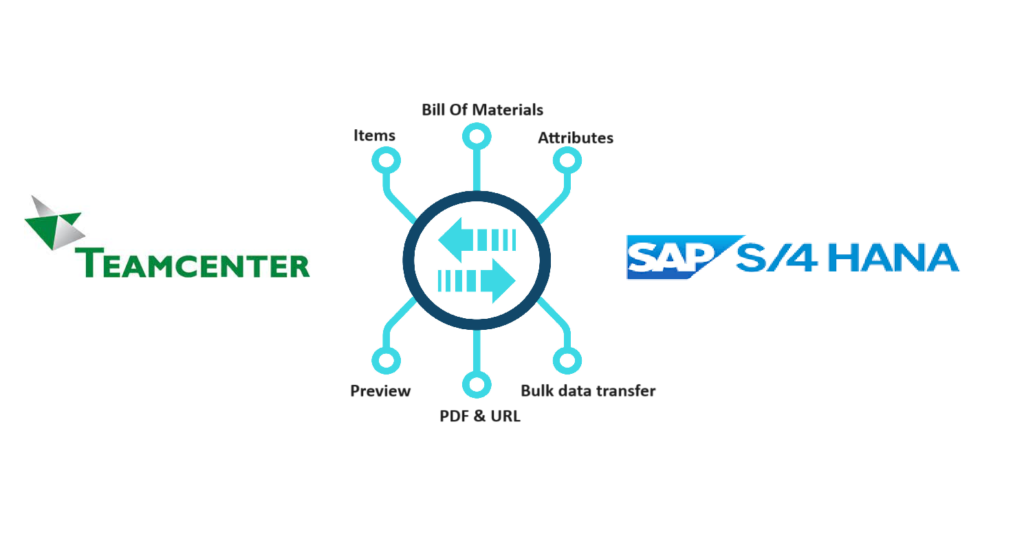
Teamcenter - SAP S/4HANA Cloud Integration
Easy to set up and also comes with advanced functionality to handle complex scenarios
- Please install TC2ERP provided by PLM CAD UTILITIES AS.
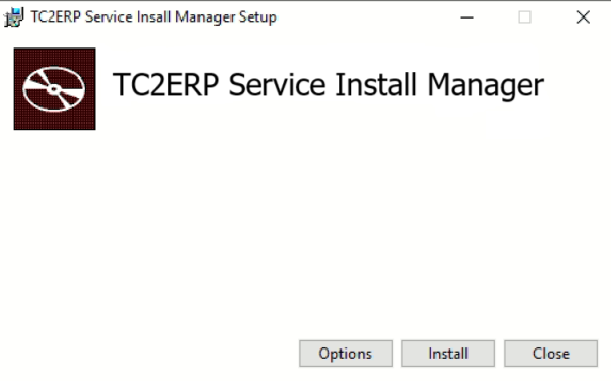

- Before transferring the data, please make sure that TC2ERP is installed.
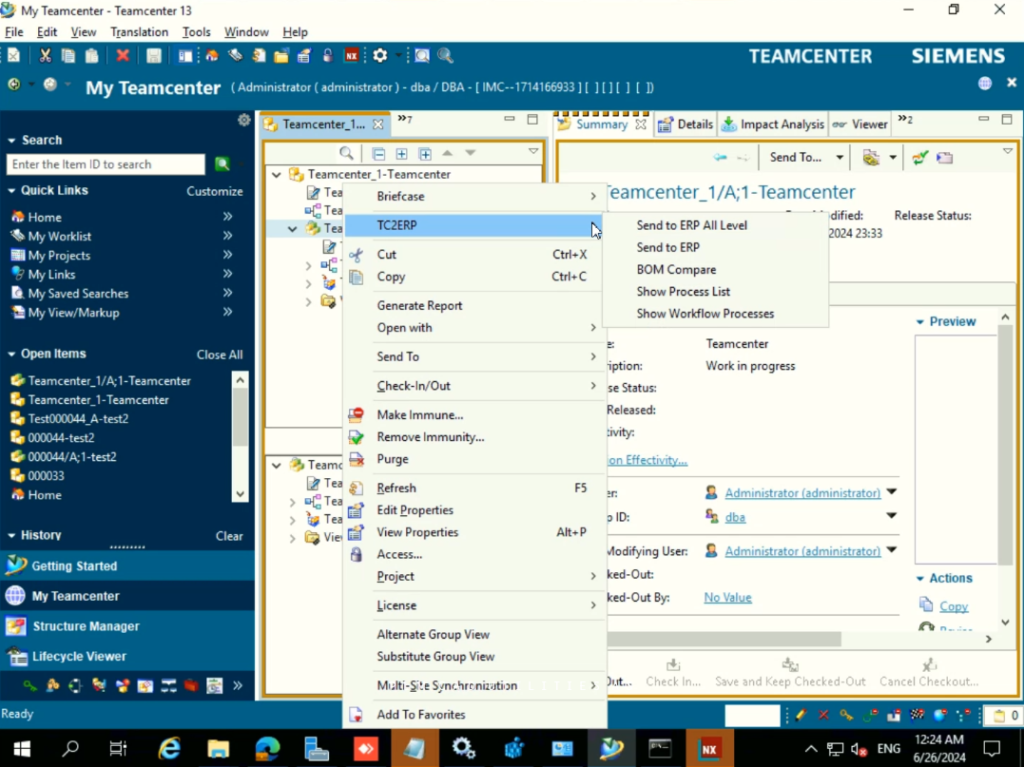
- You can check this by right-clicking on the item that shows the highlighted options as shown in the picture.
- Configure integration settings for SAP S4 HANA using OData webservices.
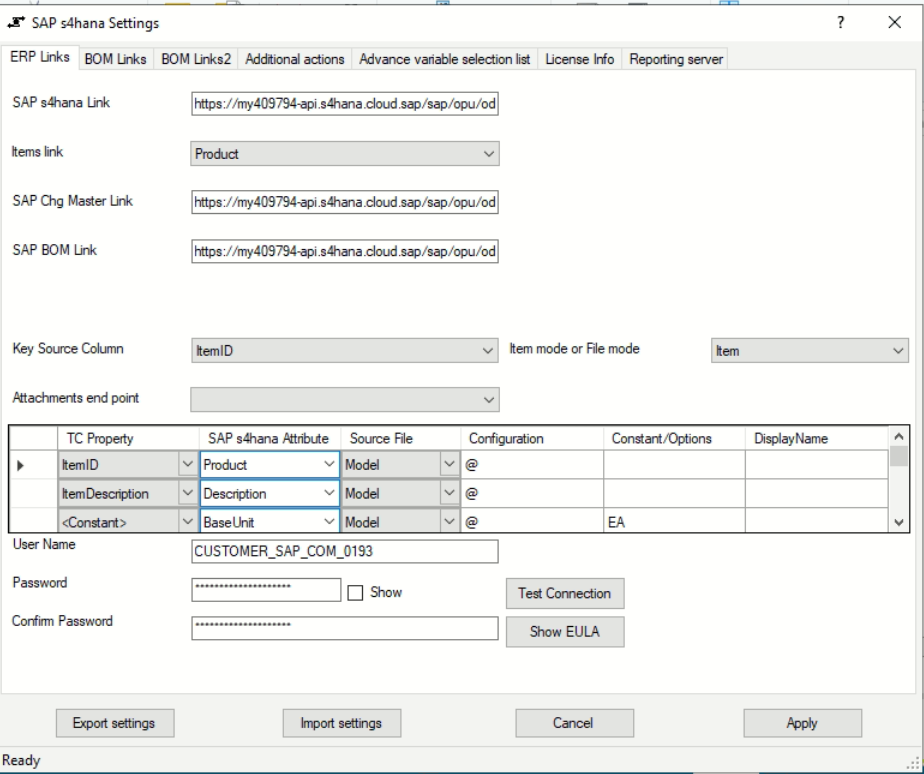
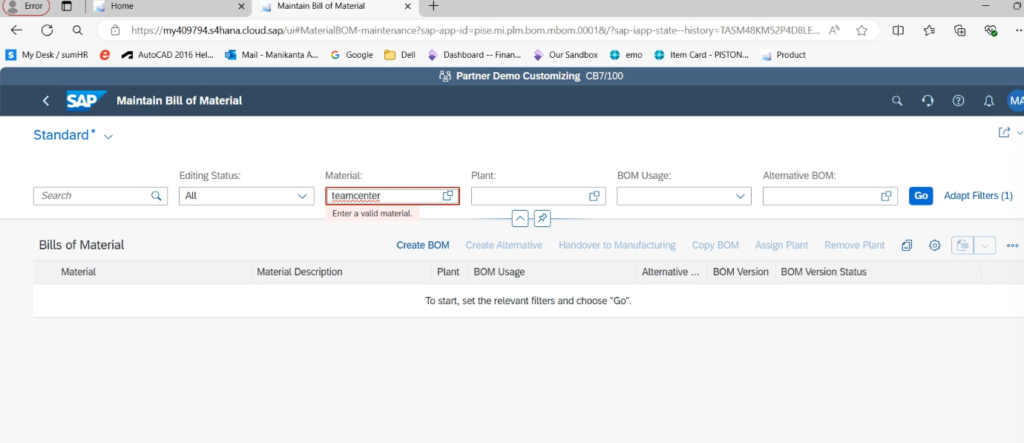
- Before sending the data to SAP S4 HANA.
- Go and check whether Bill of Materials are there or not in SAP S4 HANA.
- As you can see in the picture that Bill of Materials is not present in SAP S4 HANA.
- Now will transfer the data to SAP S4 HANA.
- You can transfer it by clicking on the item and selecting “Send to ERP” or “Send to ERP All levels”.
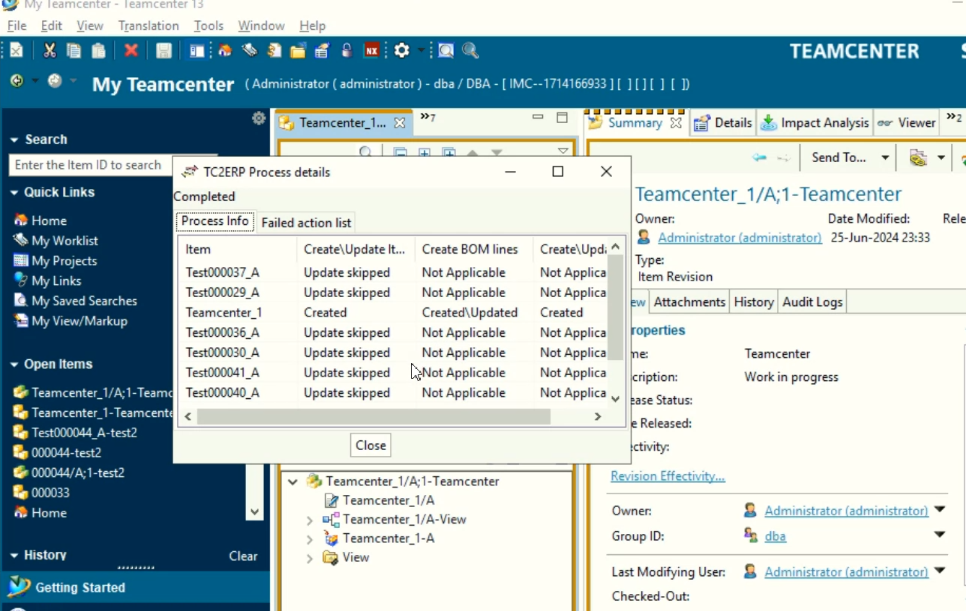
- This process dialog shows the status about the process.
- If items are newly transferred the status will be marked as “Created”,if already items exist then the status would be “Updated”,if any error occured those will be stated as “Failed”.
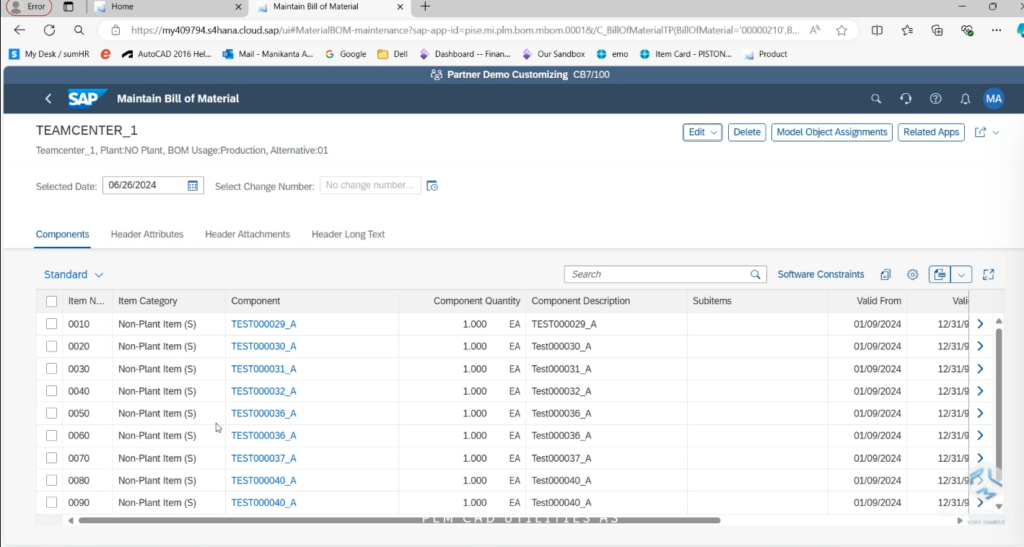
- Go and check whether Bill of materials are transferred in SAP S4 HANA.
- Bill of materials are successfully transferred to SAP S4 HANA
Teamcenter - SAP S/4HANA Cloud Integration
Easy to set up and also comes with advanced functionality to handle complex scenarios

Author